A lamp for every service.

Lyrics, scripture, your livestream and your cameras, run from one calm window in the booth. Built for the volunteer who has ten minutes before the prelude, and laid out the way church volunteers already think.

Free forever·Pro from $79 (founding price), one time·Windows 10/11 & macOS 11+

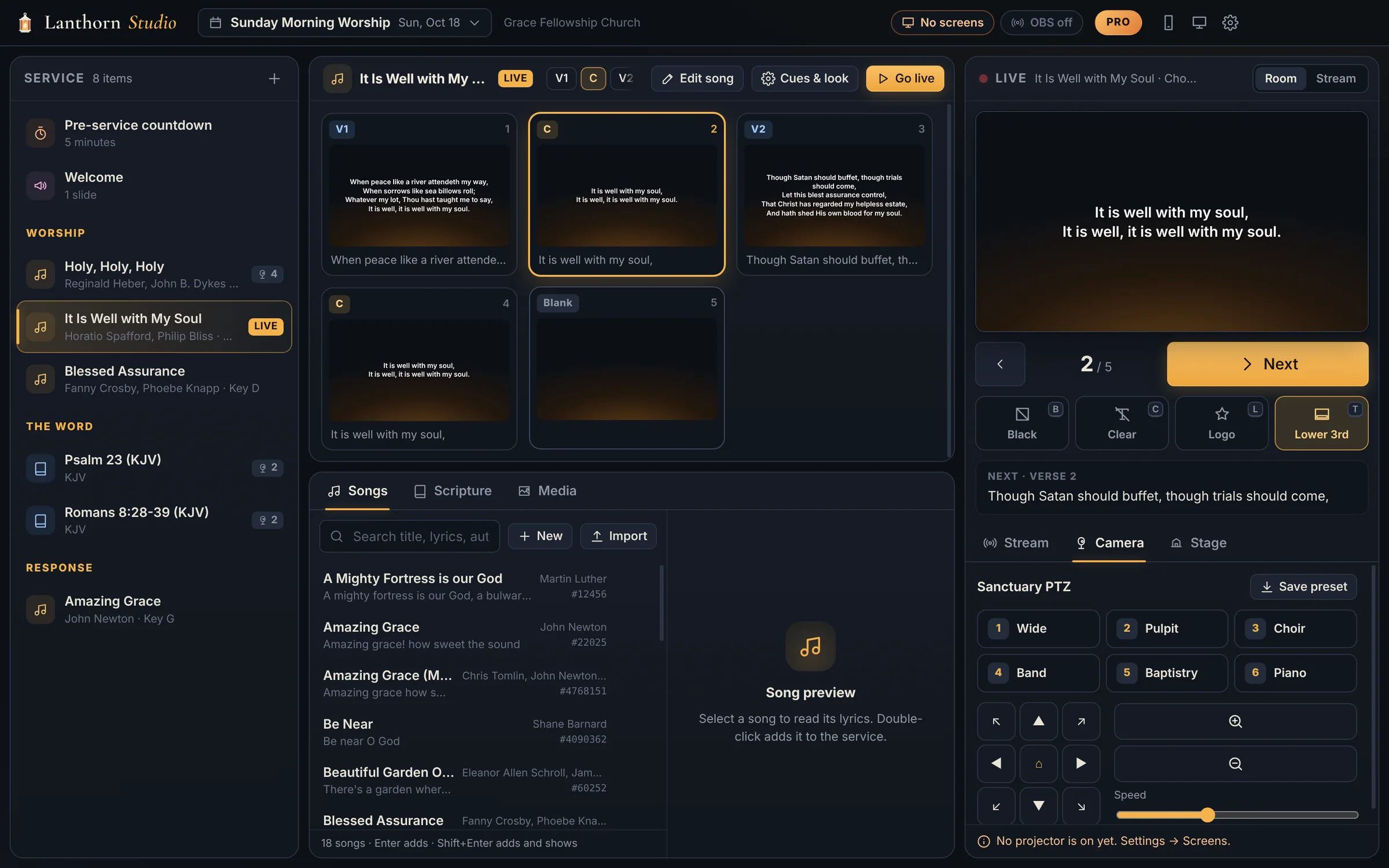
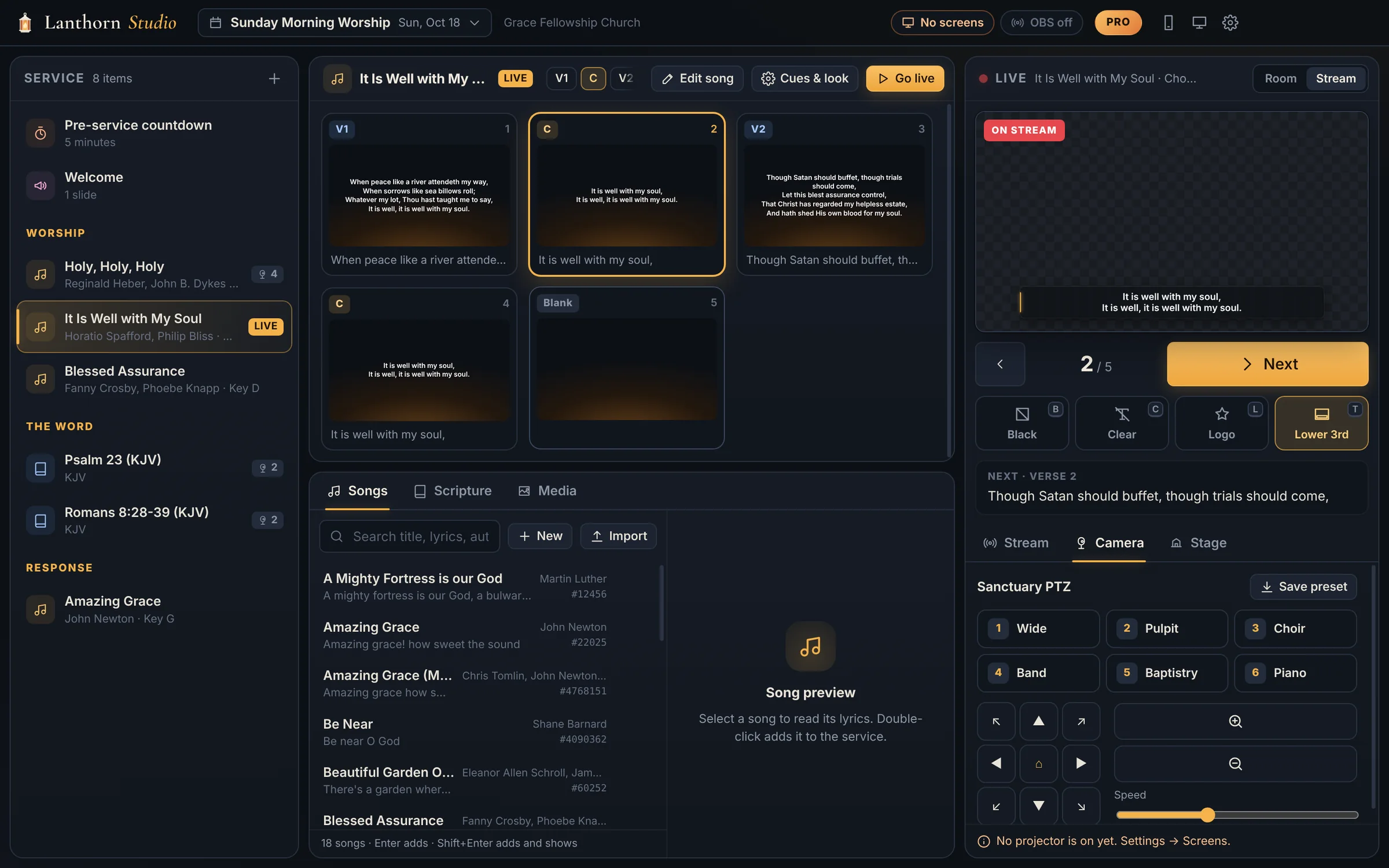
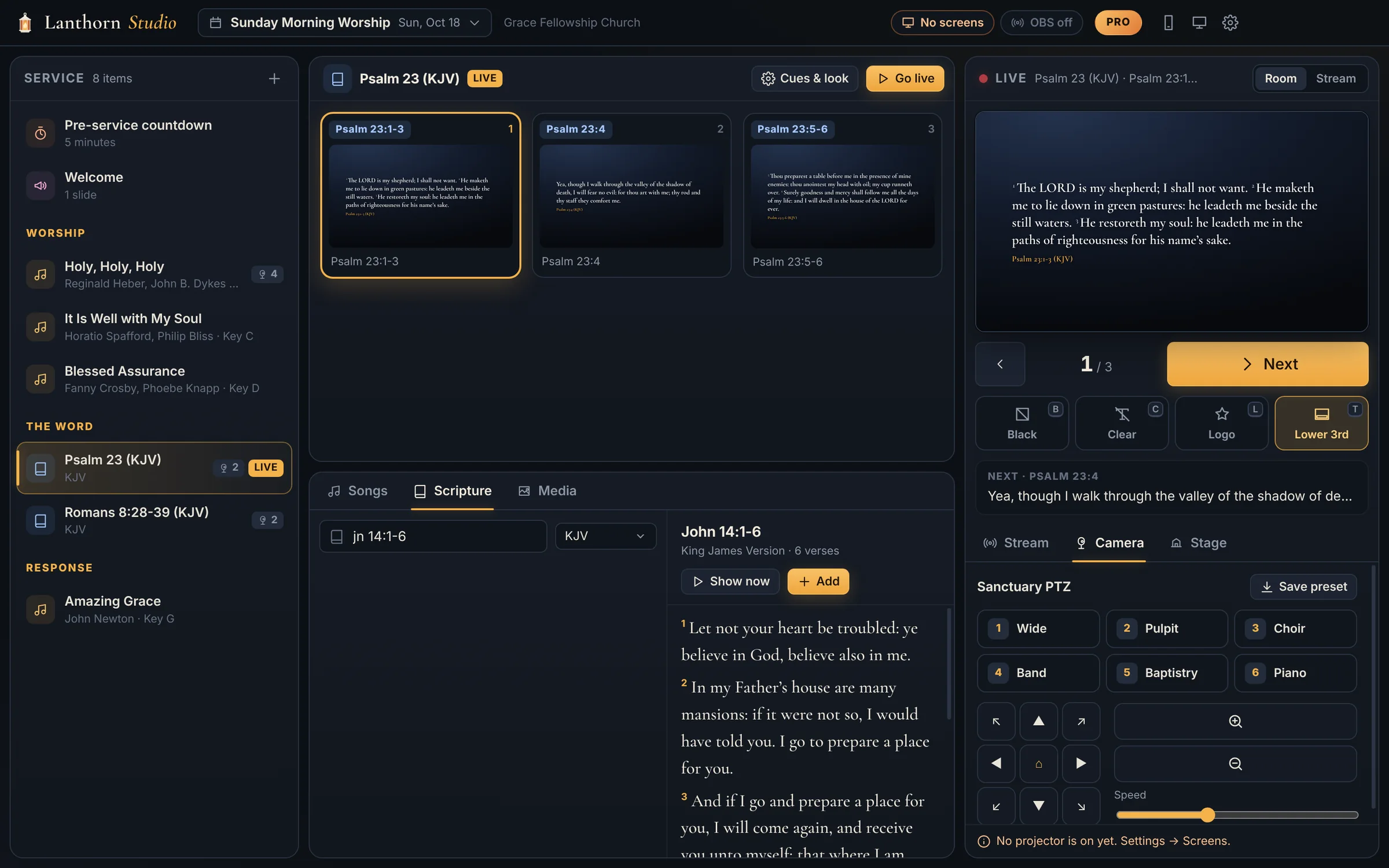
The Lanthorn Studio operator window. On the left, the service order: a pre-service countdown, a welcome slide, three hymns, Psalm 23 and Romans 8 in the KJV. In the middle, the slides of It Is Well With My Soul with the chorus live and the song library below. On the right, the live monitor showing the chorus, a large Next button, black, clear, logo and lower-third buttons, and the PTZ camera presets for Wide, Pulpit, Choir, Band, Baptistry and Piano.
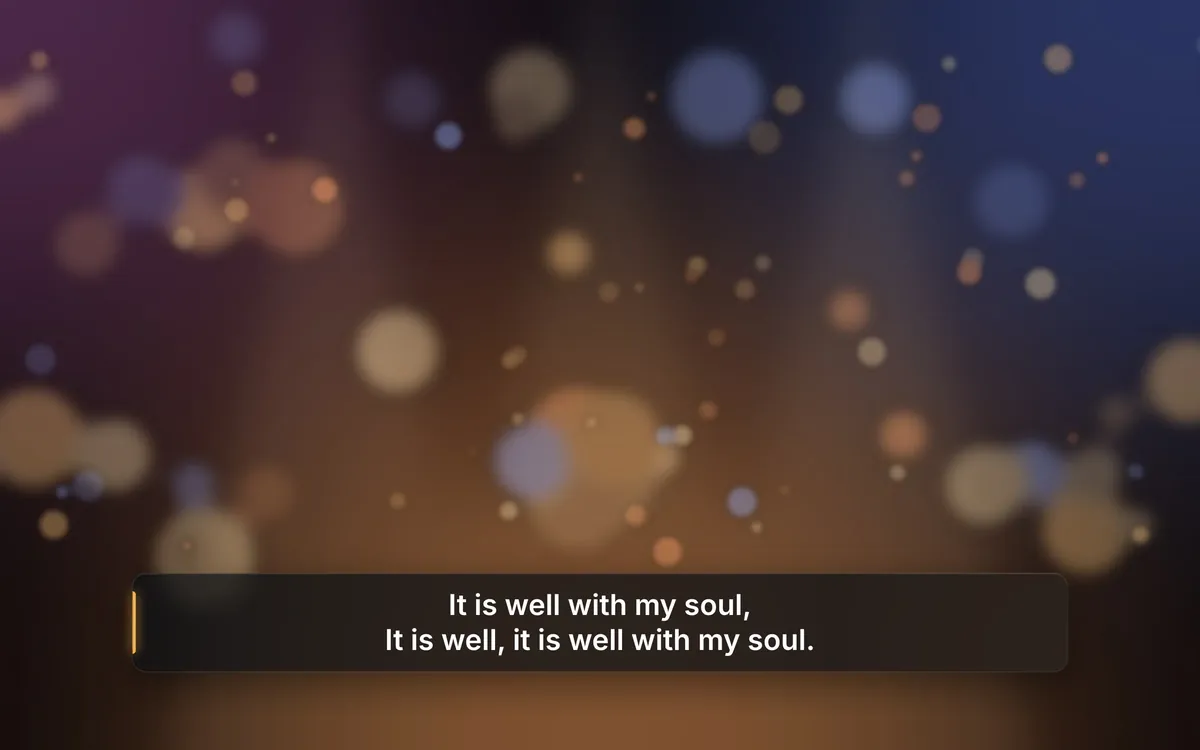
On the livestream The livestream view: the chorus of It Is Well With My Soul as a lower third over the camera shot.
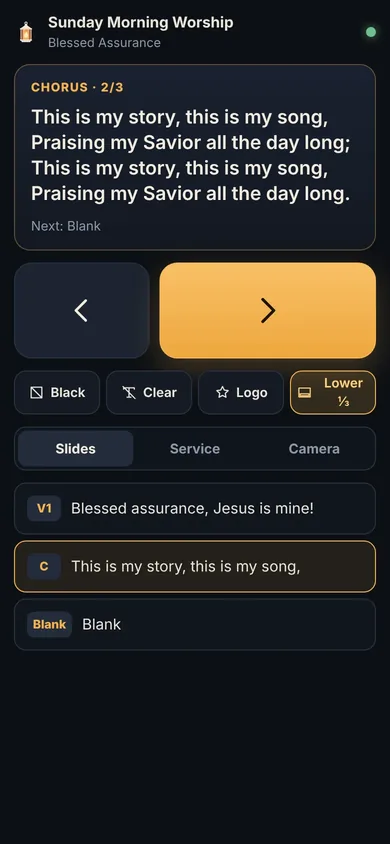
The phone remote showing the current chorus of Blessed Assurance, large previous and next buttons, and black, clear, logo and lower-third buttons.
  • Windows & Mac
  • Works offline
  • Brings your songs with you
  • KJV + 9 more Bibles

Switching from other software?

It will feel like home by the second hymn.

Your song library comes with you, and the workflow is the one your volunteers already know: build the service order, click an item, press space.

  • Brings your library over. Point it at the folder where your current presentation software keeps its songs: titles, verses, choruses, bridges, verse order, authors, copyright and CCLI numbers come across.
  • SongSelect and OpenLyrics too. CCLI SongSelect .txt and .usr files, OpenLyrics and plain text, all free.
  • Keys your hands remember. Space to advance, B for black, number keys to jump. No retraining on Sunday morning.
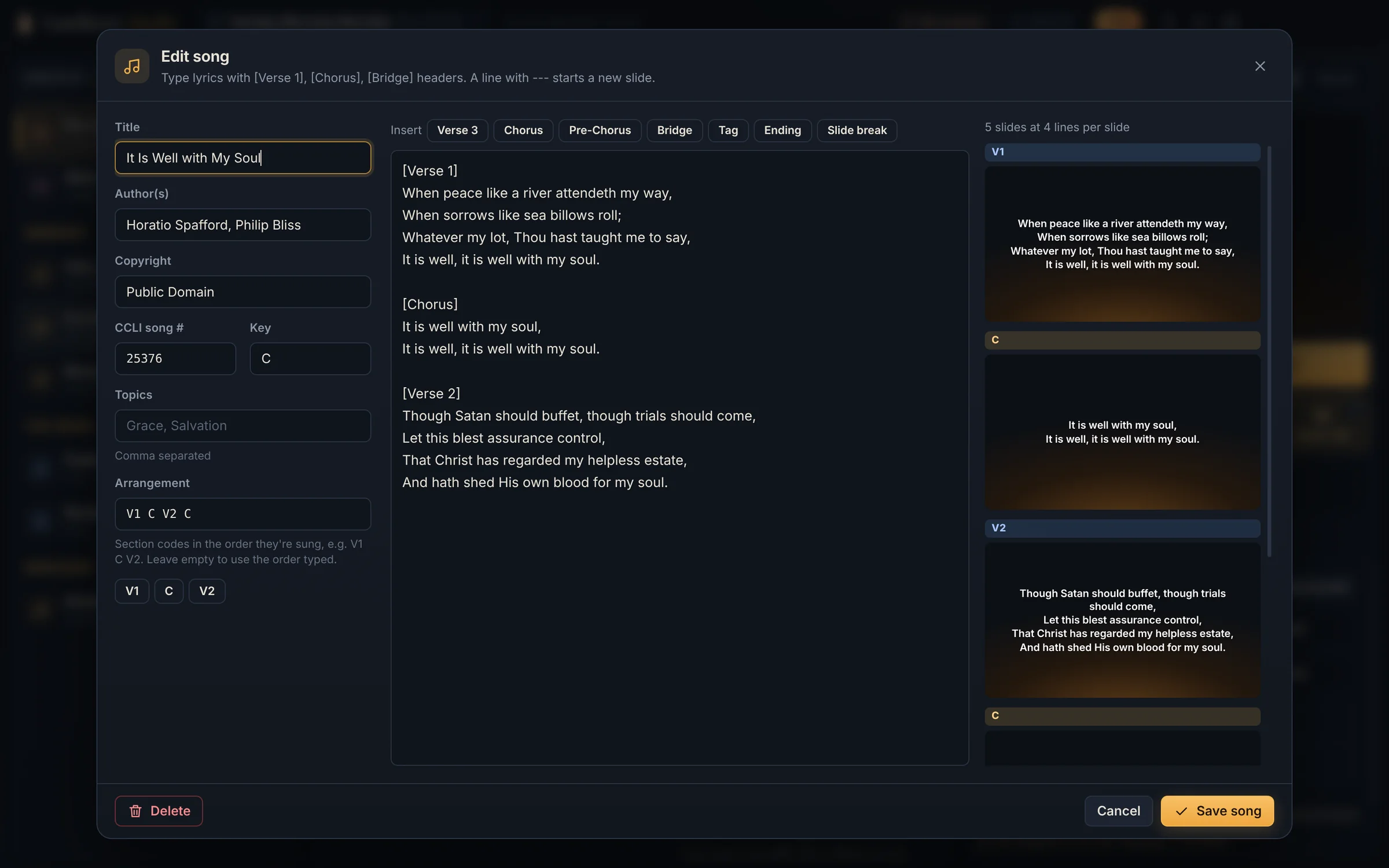
The song editor with It Is Well With My Soul: title, authors Horatio Spafford and Philip Bliss, public domain, CCLI number, key and the verse order V1 C V2 C on the left, the lyrics with Verse and Chorus headers in the middle, and a live preview of each slide on the right.

Import your songs Songs folder

  • Amazing GraceSongSelect
  • Blessed AssuranceOpenLyrics
  • Holy, Holy, HolySongSelect
  • It Is Well With My SoulText
412 of 412 songsReady for Sunday

Everything the booth needs

One window for the screens, the stream and the cameras.

Most churches juggle three or four programs to get through a service. Lanthorn Studio puts them behind one service order, so one volunteer can carry it.

i.

Scripture in seconds FREE

Type jn 14:1-6 and press Enter. Ten public-domain Bibles are built in and work offline, KJV first, with word search when you only remember a phrase.

  • KJV, BSB, ASV, NHEB, YLT, Webster, BBE, Geneva 1599, AKJV and Reina-Valera 1909
  • Long passages split into readable slides with verse numbers
  • Import NKJV, ESV, NIV or any version you’re licensed for PRO
Scripture lookup in the operator window: the reference jn 14:1-6 typed into the Scripture tab with KJV selected, John 14 shown in a serif face with verse numbers, and Psalm 23 live on the right-hand monitor.
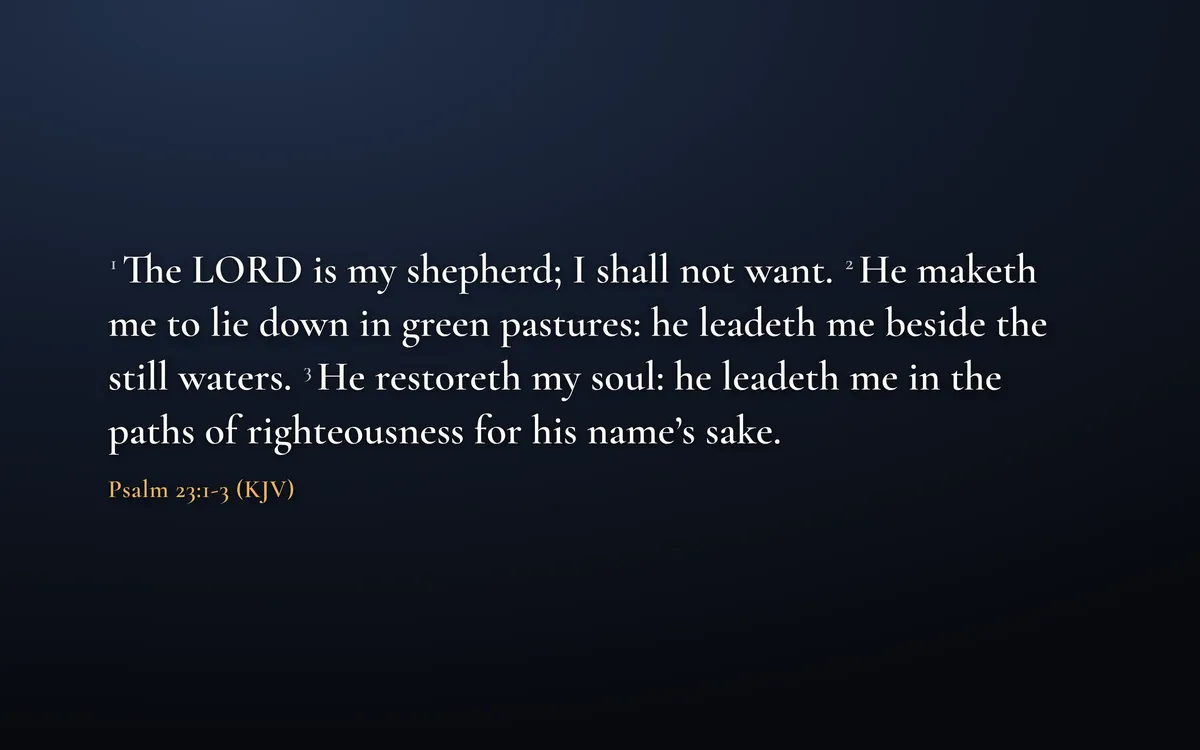
In the roomThe projector showing Psalm 23:1-3 in the King James Version in a large serif face on a deep blue background, with the reference in amber.
ii.

Lower thirds for your livestream PRO

One click adds a Lanthorn browser source to your OBS scenes. From then on, whatever the room sees is laid neatly under the camera shot, so the people watching at home can sing and read along.

  • Lyrics line by line; verses with their reference
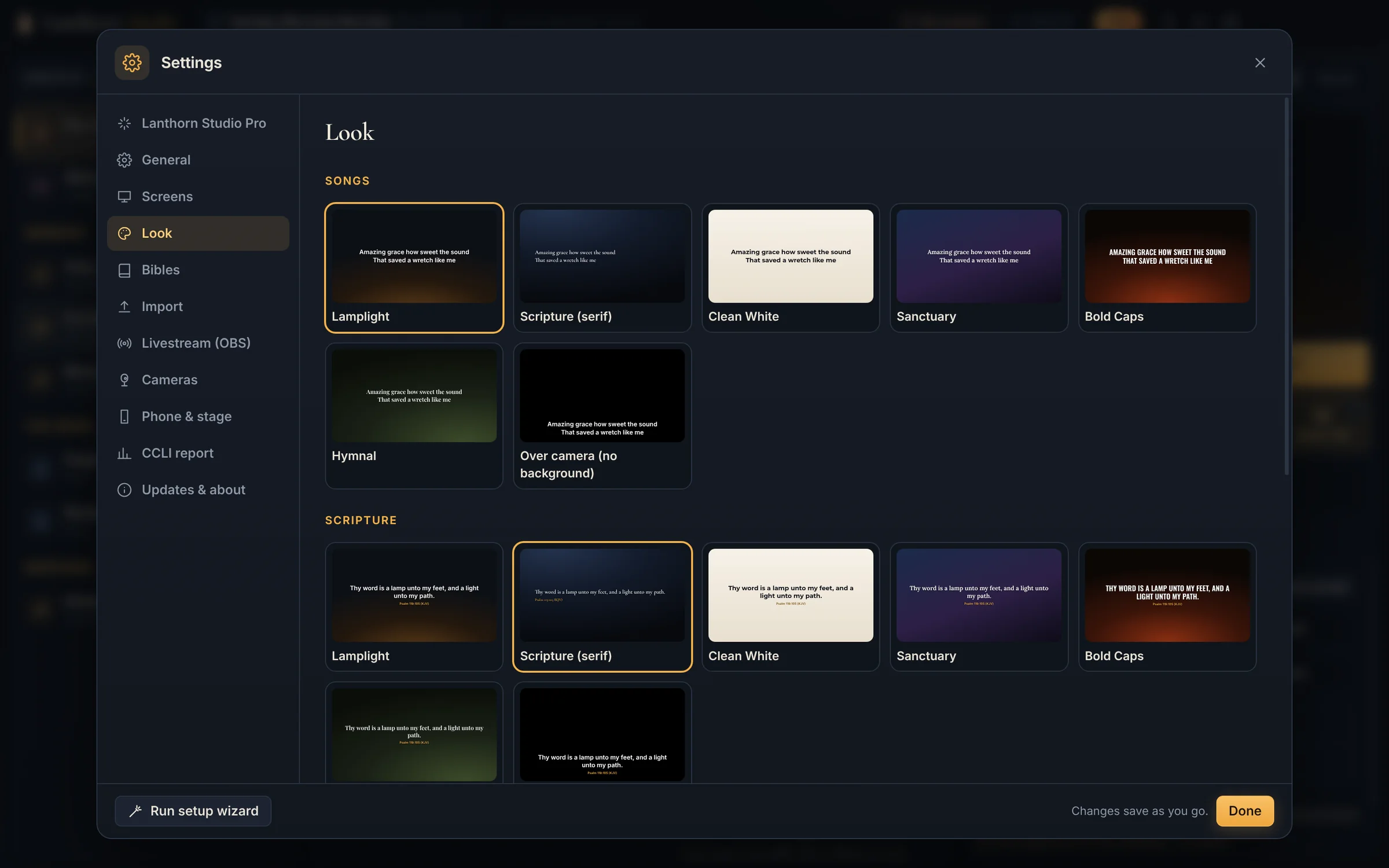
  • Style and position set in Looks; T turns it on and off
  • Key & fill outputs for capture cards and hardware switchers
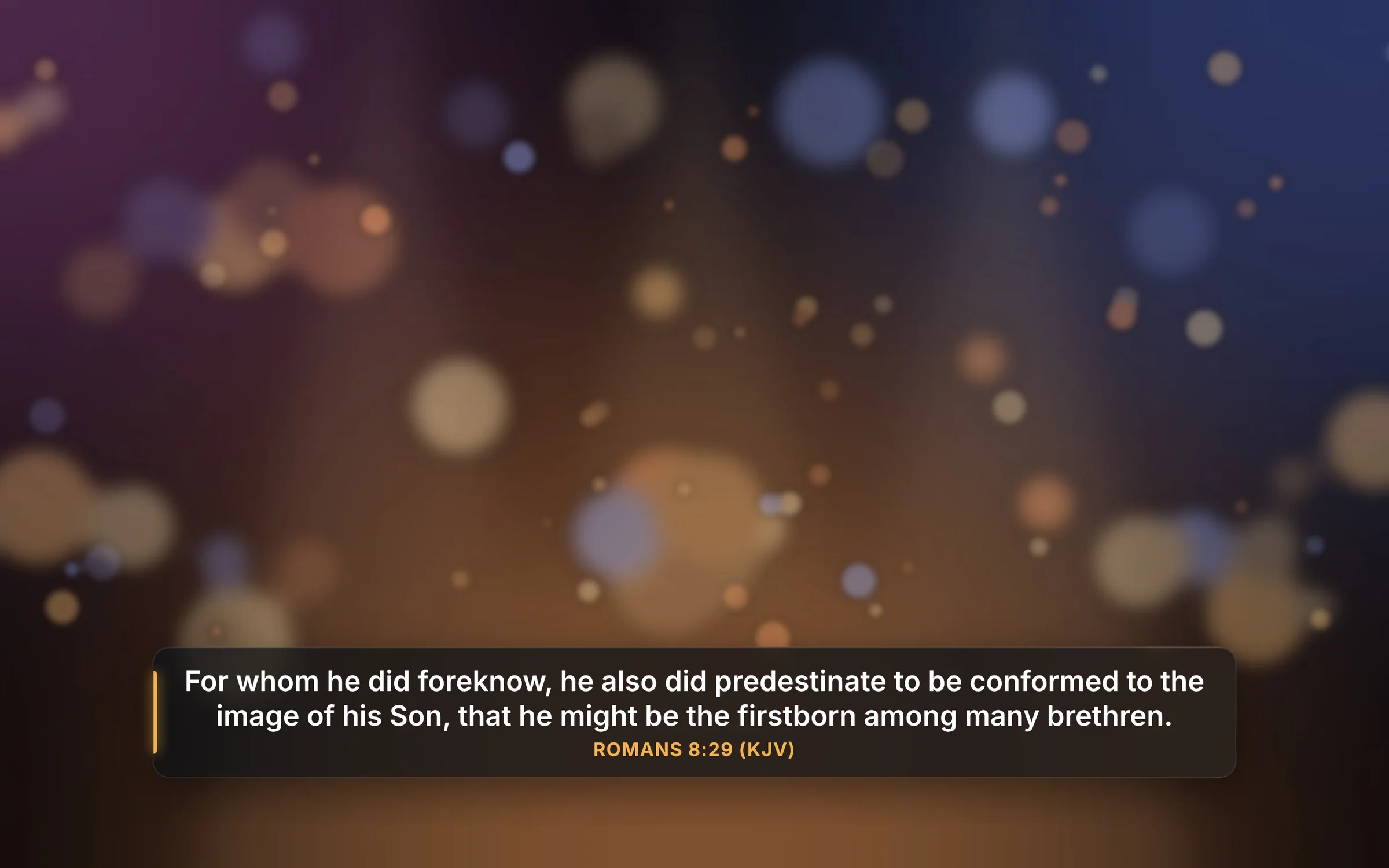
LivestreamA livestream frame: a softly lit sanctuary behind a dark glass lower third reading Romans 8:29 in the King James Version, with an amber accent bar.
iii.

Go live from the booth PRO

Stream straight to YouTube, Facebook Live, Twitch, Vimeo and more, all at once, with no OBS: your camera with the lyrics underneath and your logo in the corner. Already use OBS? Lanthorn runs that too.

  • Paste each stream key once; it’s kept encrypted on the computer
  • Camera + lyrics, Slides and Camera scenes, a live picture and sound meter
  • Records a copy, reconnects by itself, and one platform dropping doesn’t stop the rest
The operator window with the live monitor switched to Stream: an On Stream badge and the lower-third preview of the chorus, the Go live button in the toolbar, and the camera presets below.
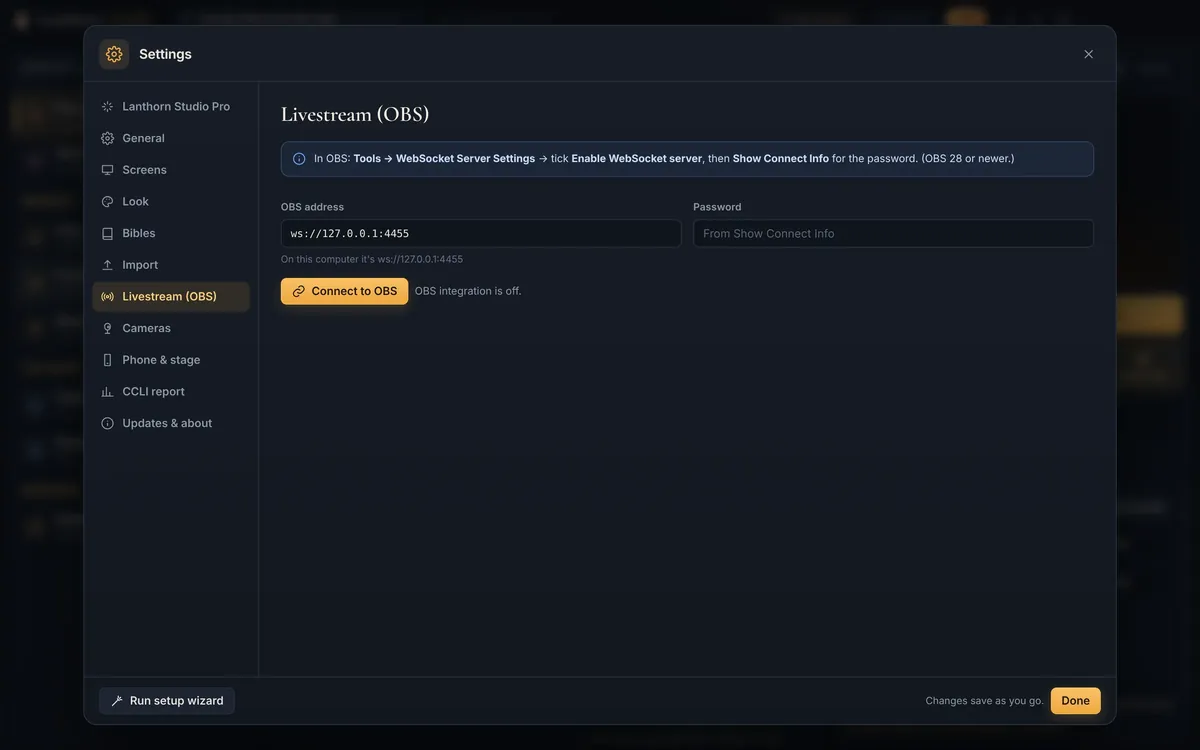
Settings, Livestream (OBS): the OBS address, the password from Show Connect Info, and a Connect to OBS button.
iv.

Camera cues PRO

Name your PTZ presets once, then attach one to any service item. Click the sermon and the camera swings to the pulpit; click the anthem and it finds the choir.

  • VISCA over IP (UDP and TCP) and PTZOptics HTTP
  • D-pad, zoom and speed for live adjustments
  • Pair a camera preset with an OBS scene on the same cue
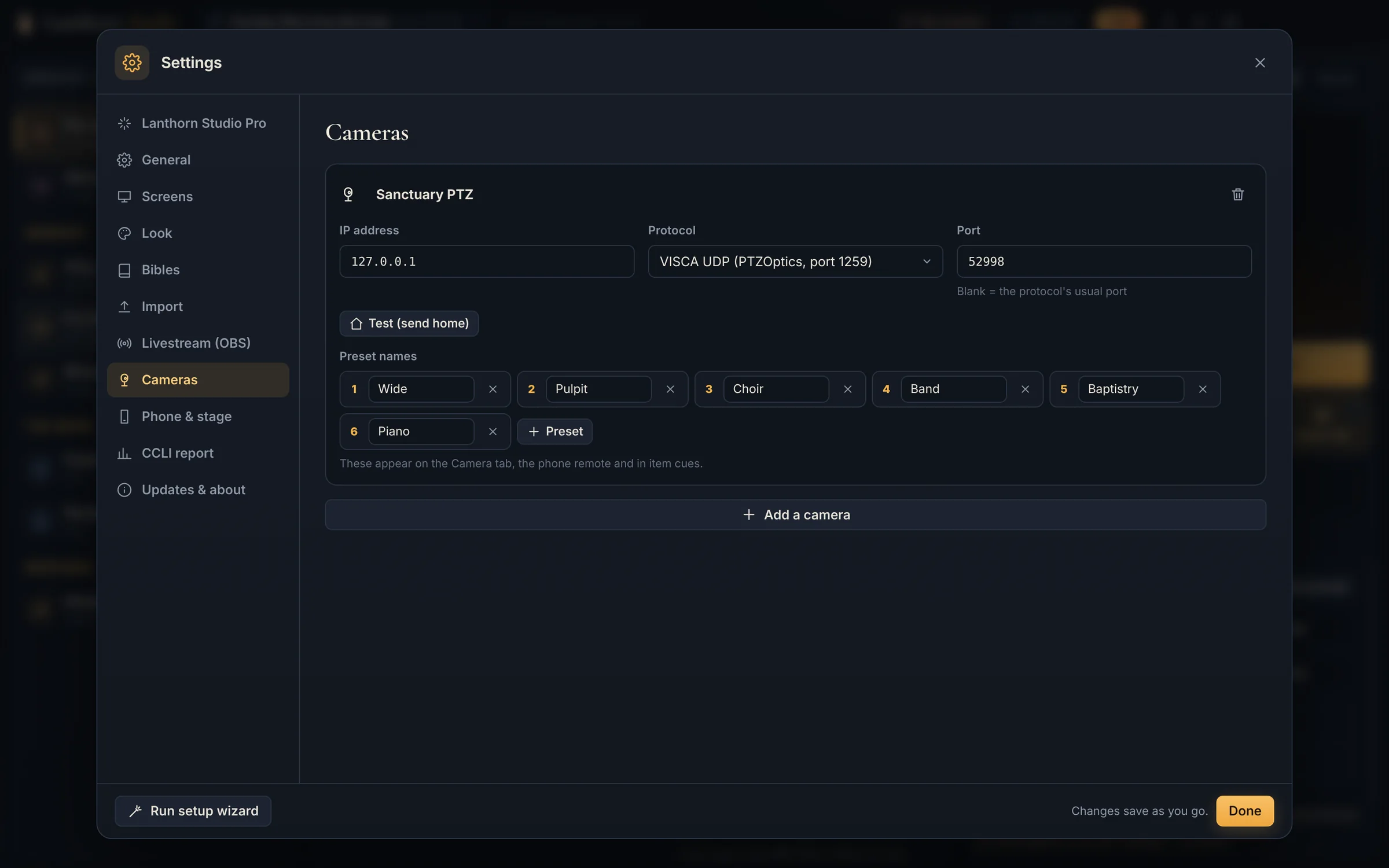
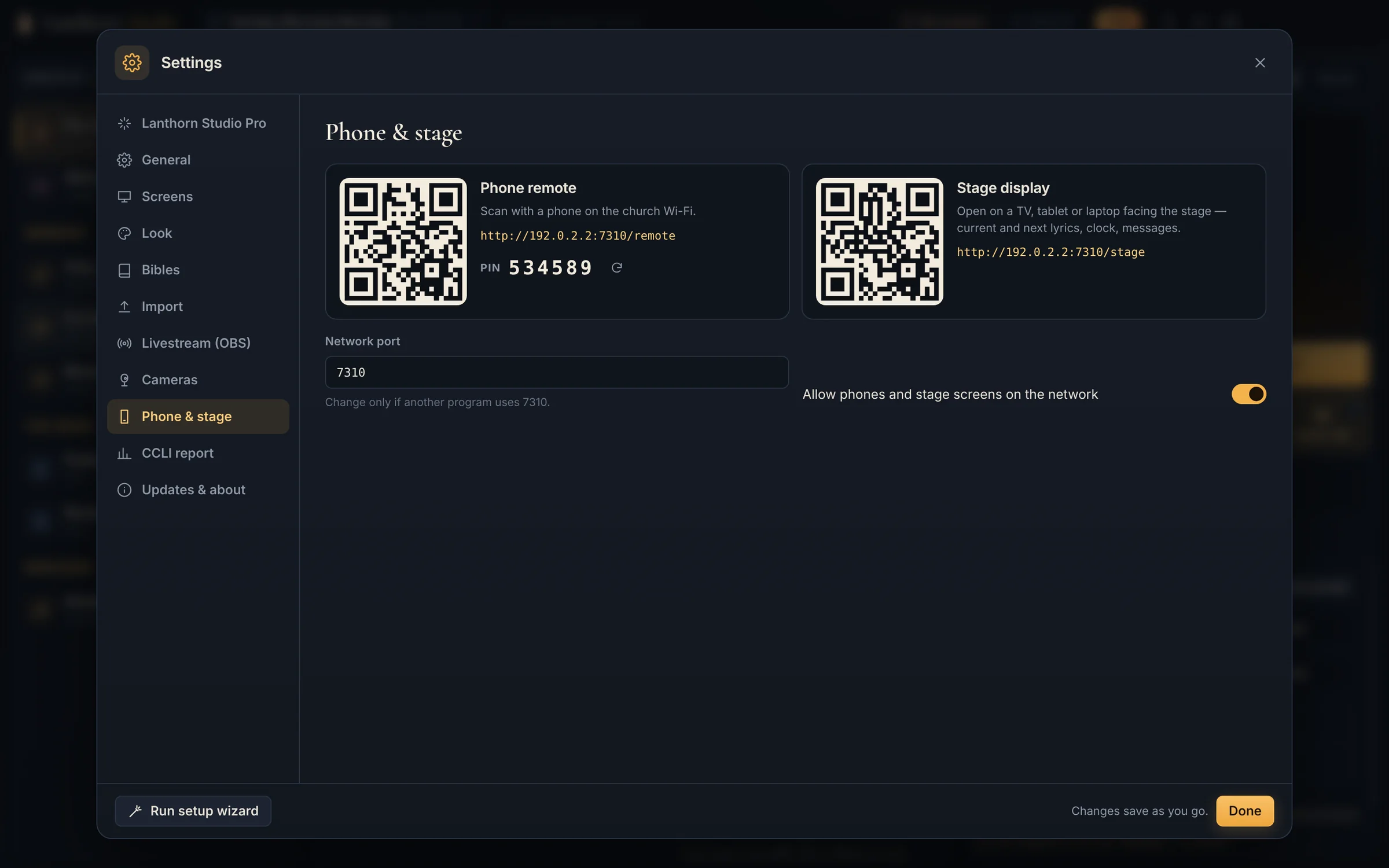
Settings, Cameras: a camera called Sanctuary PTZ with its IP address, the VISCA UDP protocol for PTZOptics, and six named presets: Wide, Pulpit, Choir, Band, Baptistry and Piano.
v.

Every screen, in step

The projector for the room, a confidence screen for the band and the preacher, and a remote in your pocket. Press space and they all move together.

  • One projector or TV plus a stage display, free
  • Stage display: current and next line, clock, timer and messages like “Repeat chorus”
  • PIN-protected phone remote, more screens, and TVs in other rooms PRO
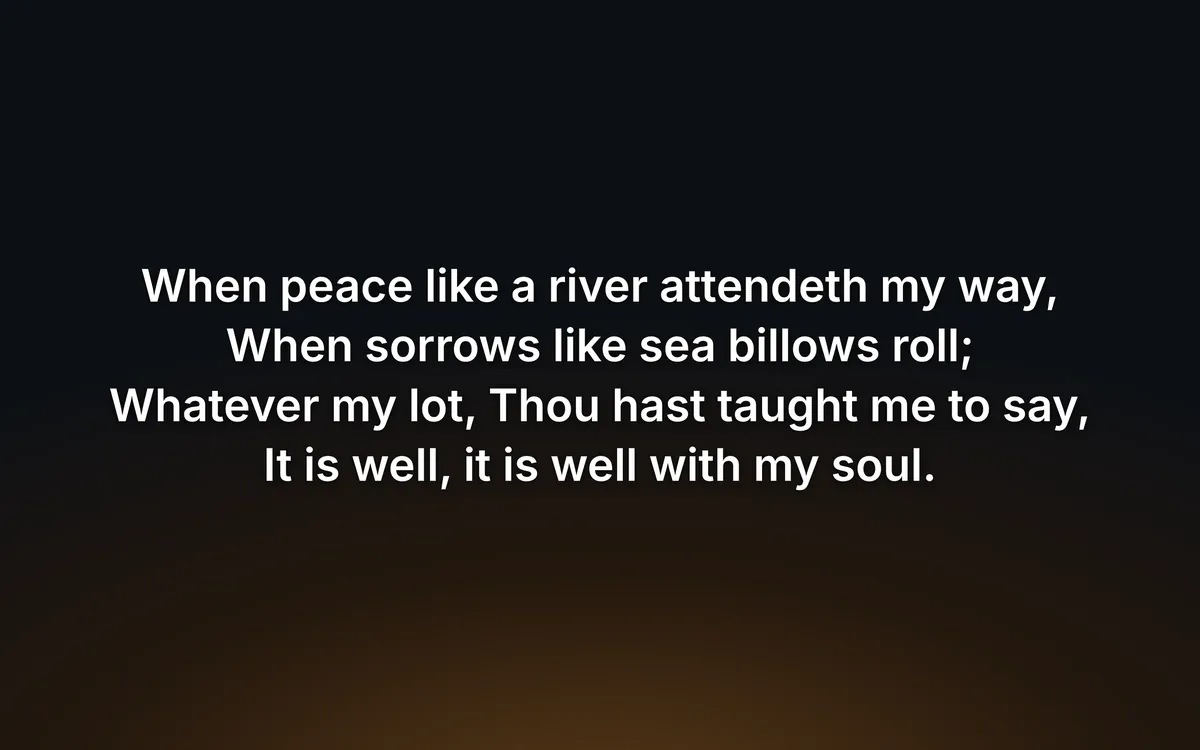
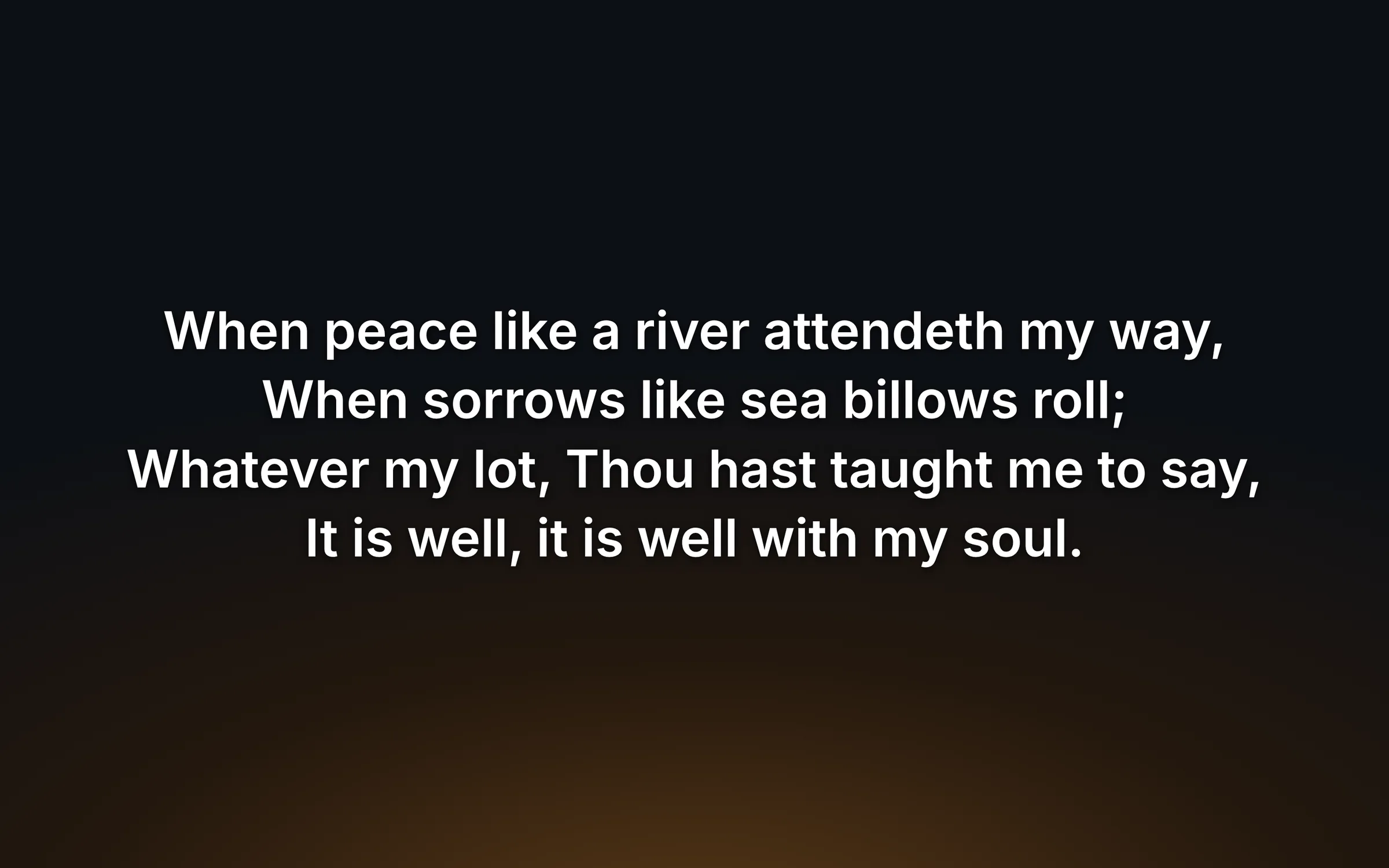
RoomThe projector showing verse one of It Is Well With My Soul in large white type over a warm amber glow.
Projector
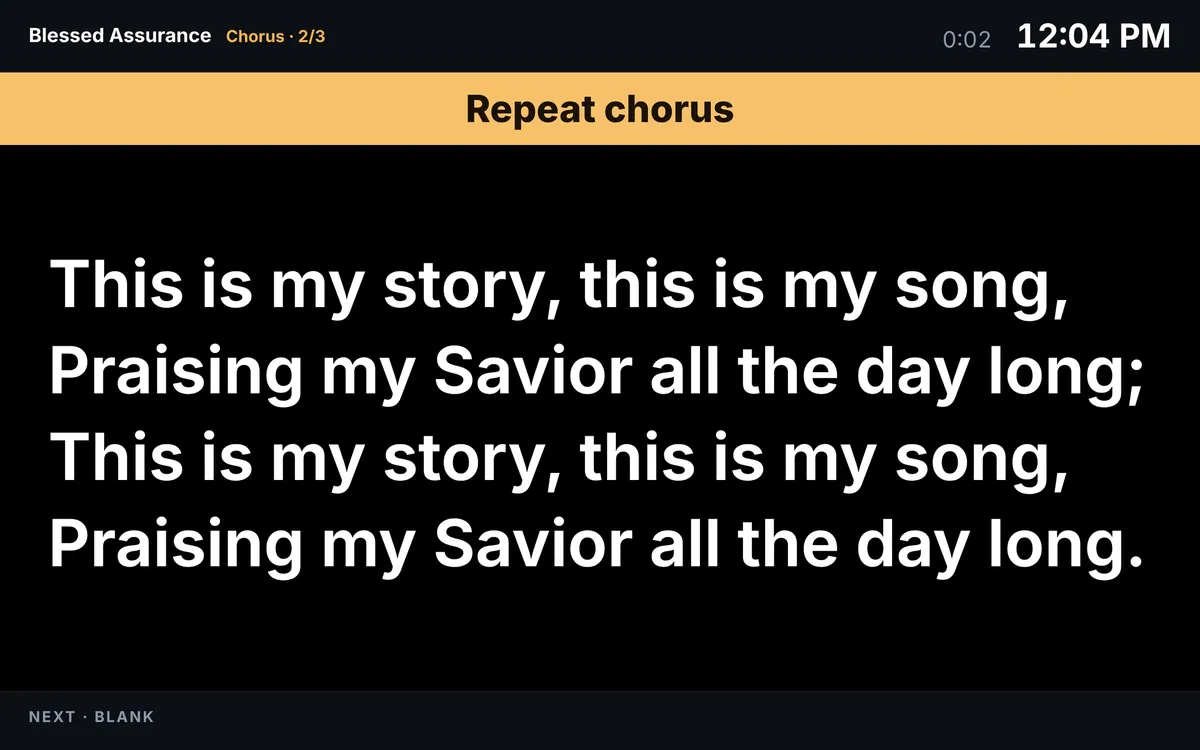
StageThe stage display: Blessed Assurance, chorus two of three, a Repeat chorus message in an amber banner, the lyrics in very large type, the clock and a service timer, and Next: Blank at the bottom.
Stage display
The phone remote with the current slide, previous and next buttons and the slide list.
Phone remote
vi.

A screen in every room PRO

The foyer TV, the fellowship hall, the nursery, the youth room. If it has a Chromecast or an Apple TV, Lanthorn puts the service on it over the church network. No HDMI runs through the ceiling, no extra computers.

  • Finds the Chromecasts and Apple TVs on your network by itself
  • Each TV shows the slides, the stage display or the lower third, your choice
  • Apple TV pairs once with the code on its screen; every TV comes back on by itself next Sunday
  • Smart TVs and Fire TV or Google TV with a web browser can open the slides directly

TVs run a second or two behind the projector, so they’re made for rooms that are watching. Keep a wired screen where people sing.

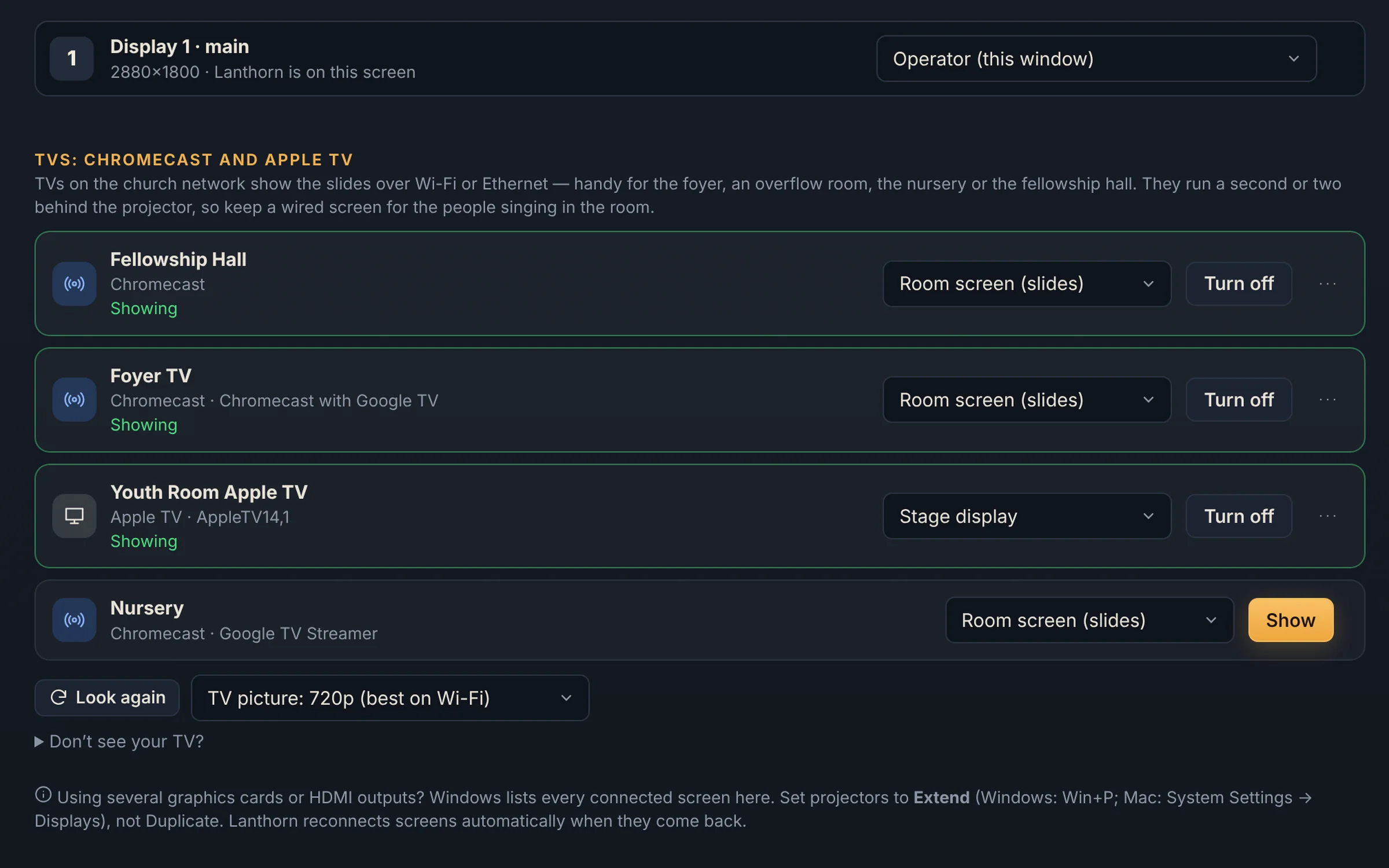
Settings, Screens, TVs: the Fellowship Hall and Foyer TV Chromecasts showing the room screen, the Youth Room Apple TV showing the stage display, and the Nursery Chromecast ready with a Show button.
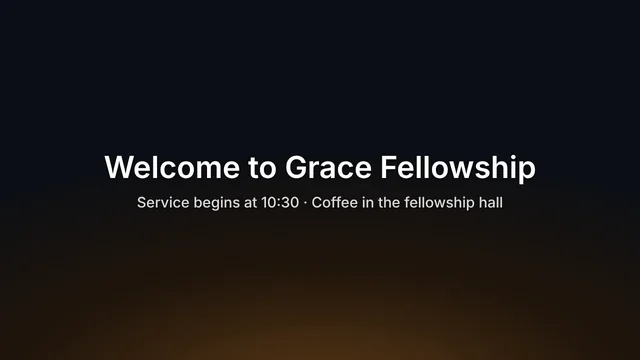
Foyer TV · Chromecast The foyer TV showing the welcome slide: Welcome to Grace Fellowship, Service begins at 10:30, Coffee in the fellowship hall.
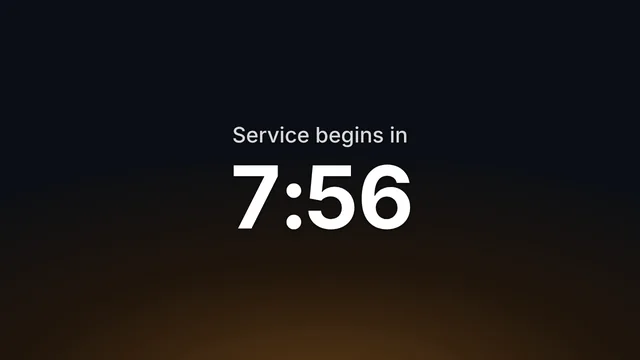
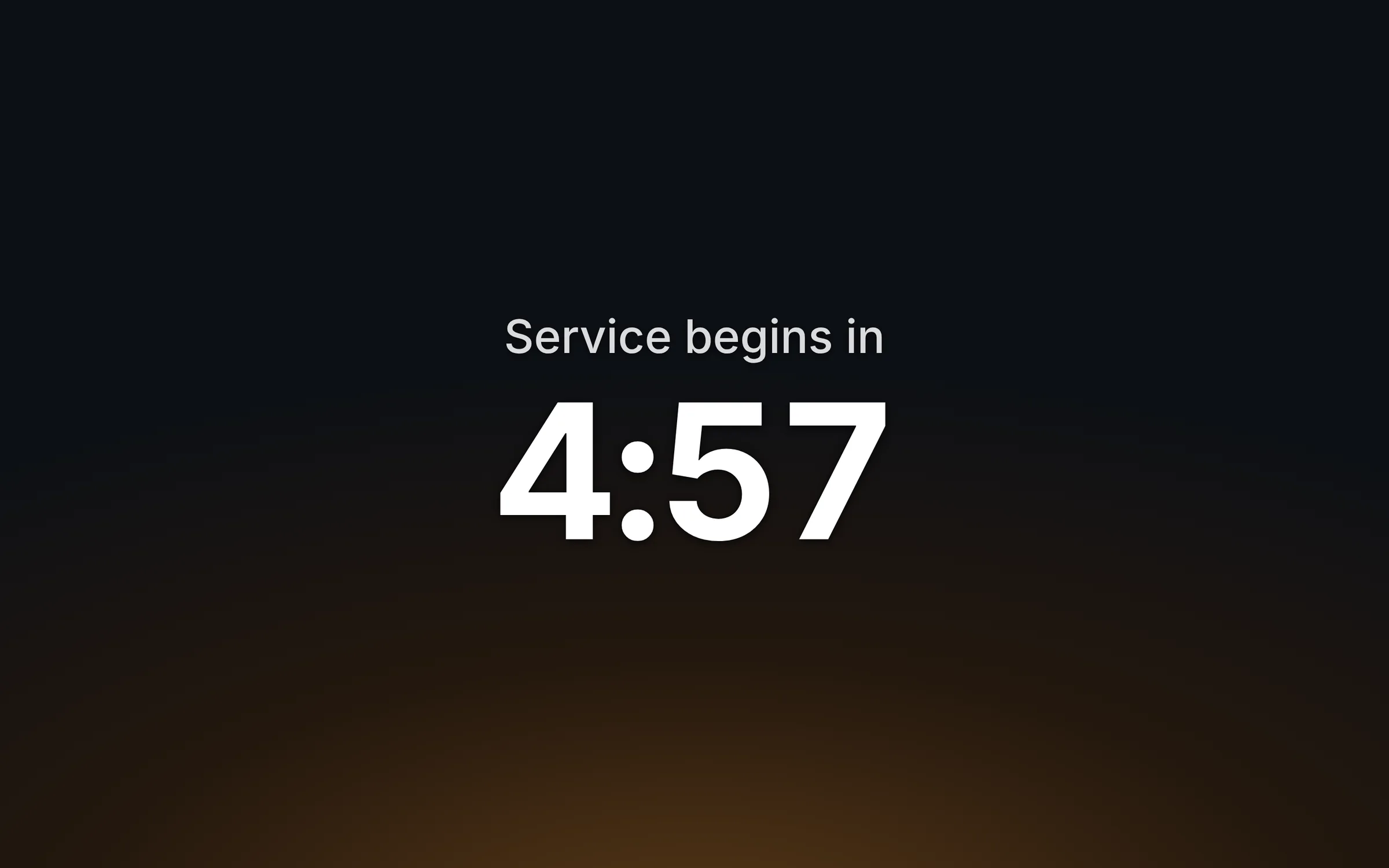
The pre-service countdown, Service begins in 7:56, on the foyer TV.
FoyerChromecast · the countdown and welcome before the service
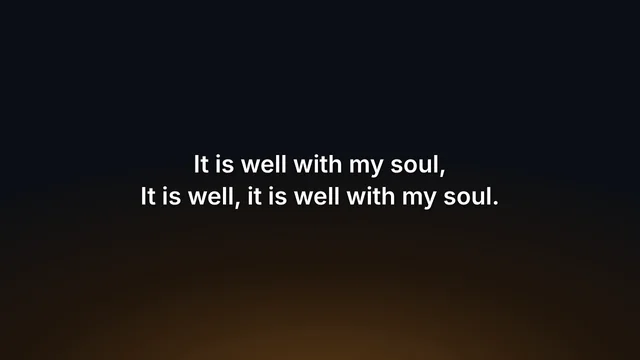
The chorus of It Is Well with My Soul on the fellowship hall TV.
Fellowship hallChromecast · the service for overflow
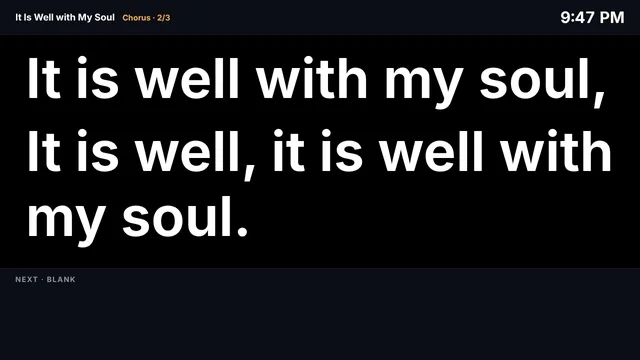
The stage display on the youth room Apple TV: the chorus of It Is Well with My Soul in very large type, with the clock and what’s next.
Youth roomApple TV · the stage display for the leader
vii.

Your whole team, one library MULTI-CAMPUS

Build Sunday’s service from the office on Thursday and it’s waiting in the booth on Sunday. Every workstation shares the same songs, services, media and looks through the Lanthorn cloud, and sees what the others have on screen.

  • Staff and volunteers edit from home, the office or the booth
  • Team tab: see every screen live, and run Next, Back, Black and Clear on another workstation
  • Follow mode mirrors the main booth in an overflow room or at a second campus
  • Keeps working offline; changes sync when the internet is back
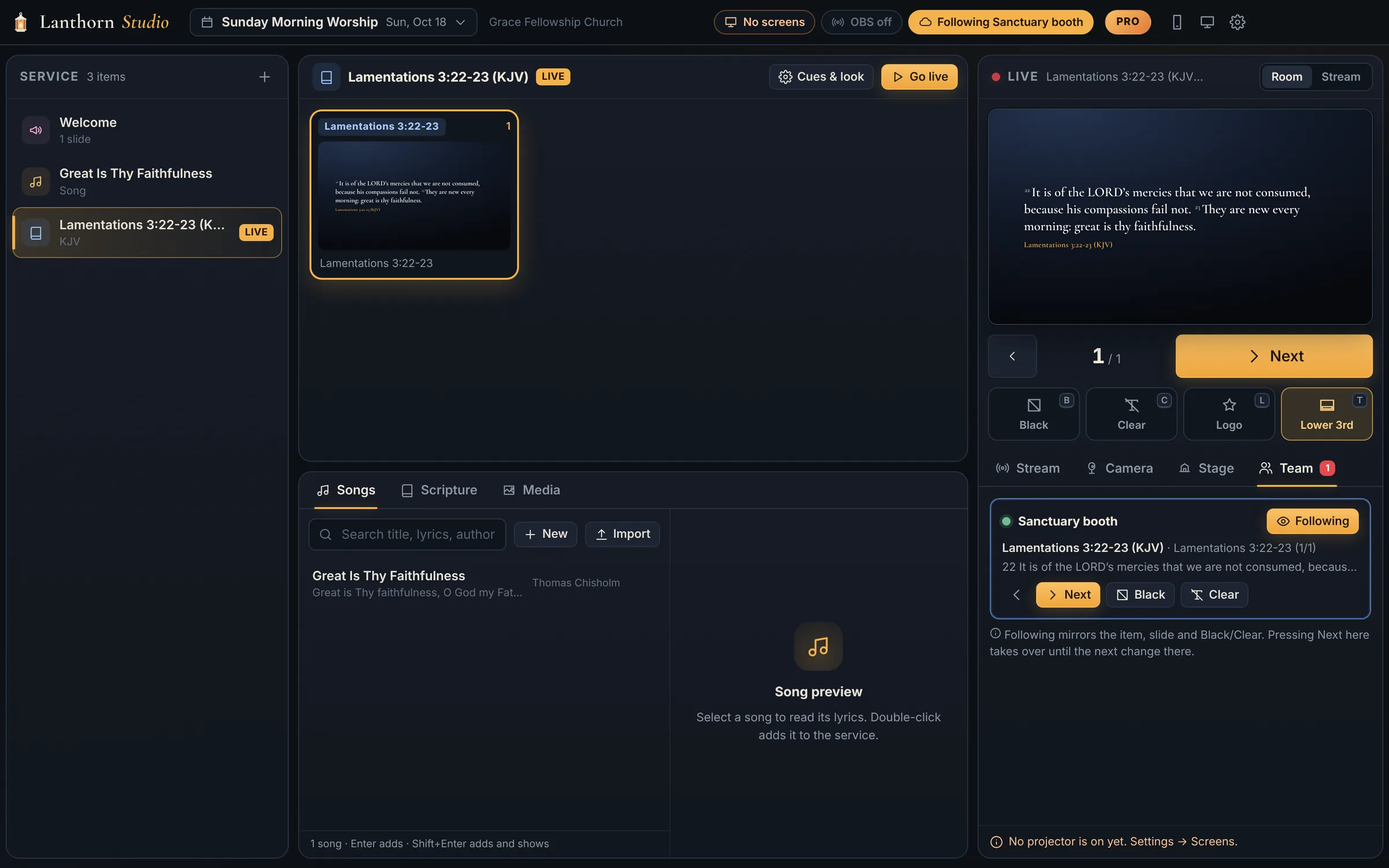
The office computer following the sanctuary booth: the Team tab shows the booth online with Lamentations 3:22-23 on screen, and the office shows the same verse live, with a Following Sanctuary booth badge in the header.

One click, two congregations

What the room sees. What home sees.

The same slide, styled for each. Full-screen lyrics for the sanctuary; a quiet lower third that leaves the preacher in the picture for everyone watching online.

ProjectorIn the room: verse one of It Is Well With My Soul fills the projector in large white type over a warm amber glow.
In the sanctuaryBig, bright and readable from the back pew, in the look you choose.
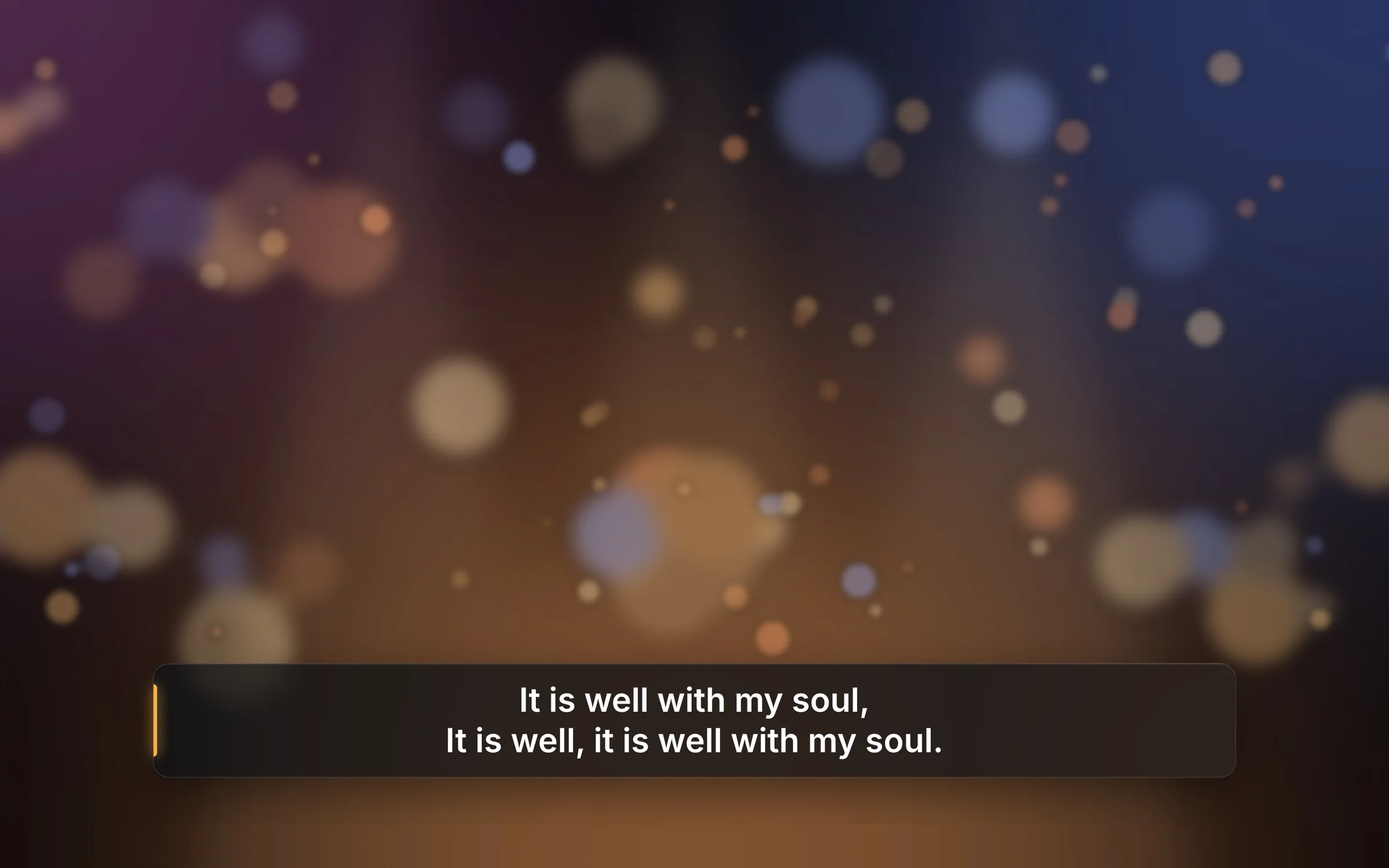
LivestreamAt home: the chorus It is well with my soul as a slim glass lower third over the camera shot of the sanctuary.
On Facebook Live PROA slim lower third over the camera, sent to OBS automatically.

Five-minute setup

Ready before the coffee is.

The first time you open Lanthorn Studio, a short wizard sets up the booth with you. Skip anything you don’t use and come back to it later.

  1. Welcome your church’s name
  2. Screens which display is the projector and which is the stage
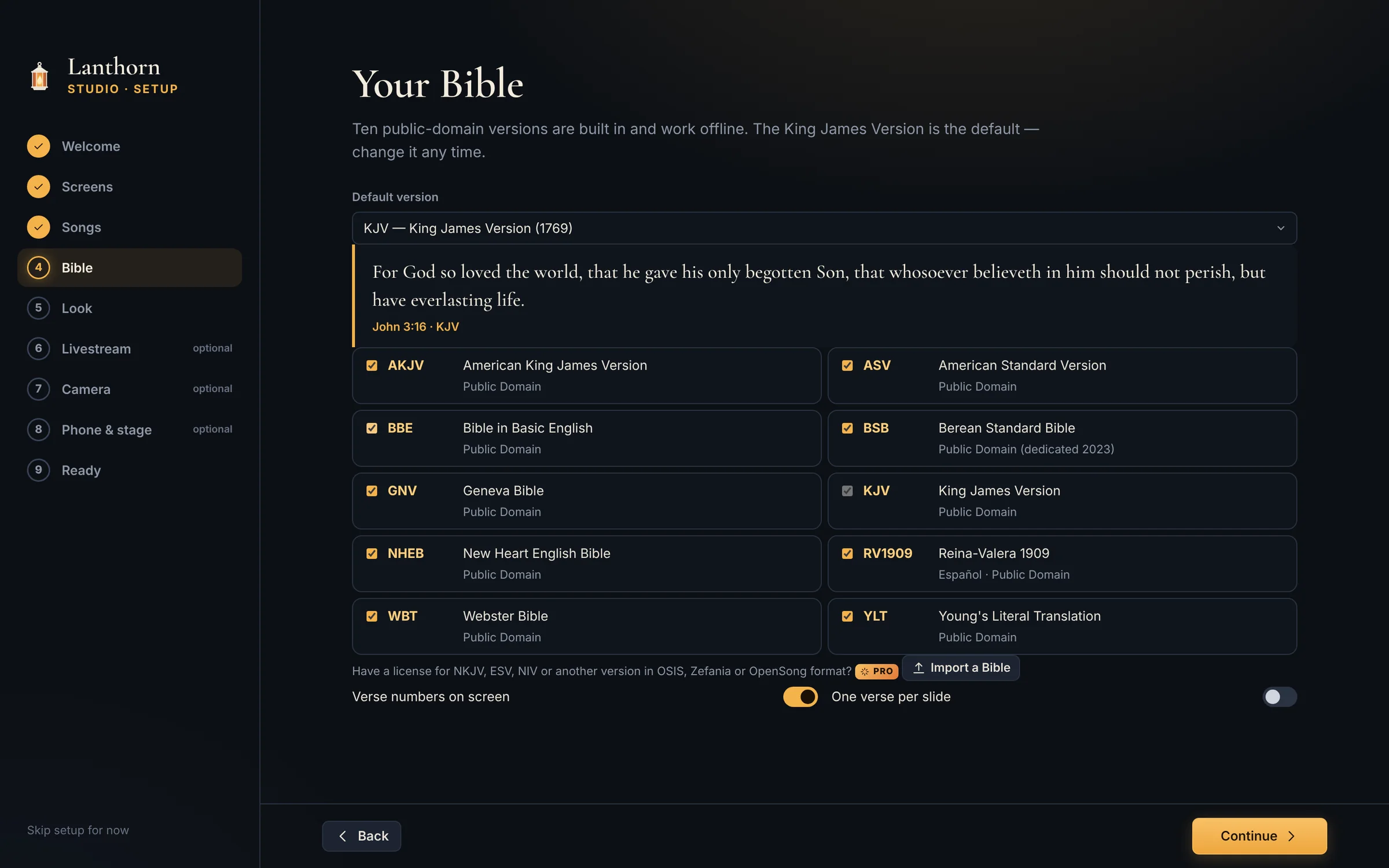
  3. Songs bring your library over
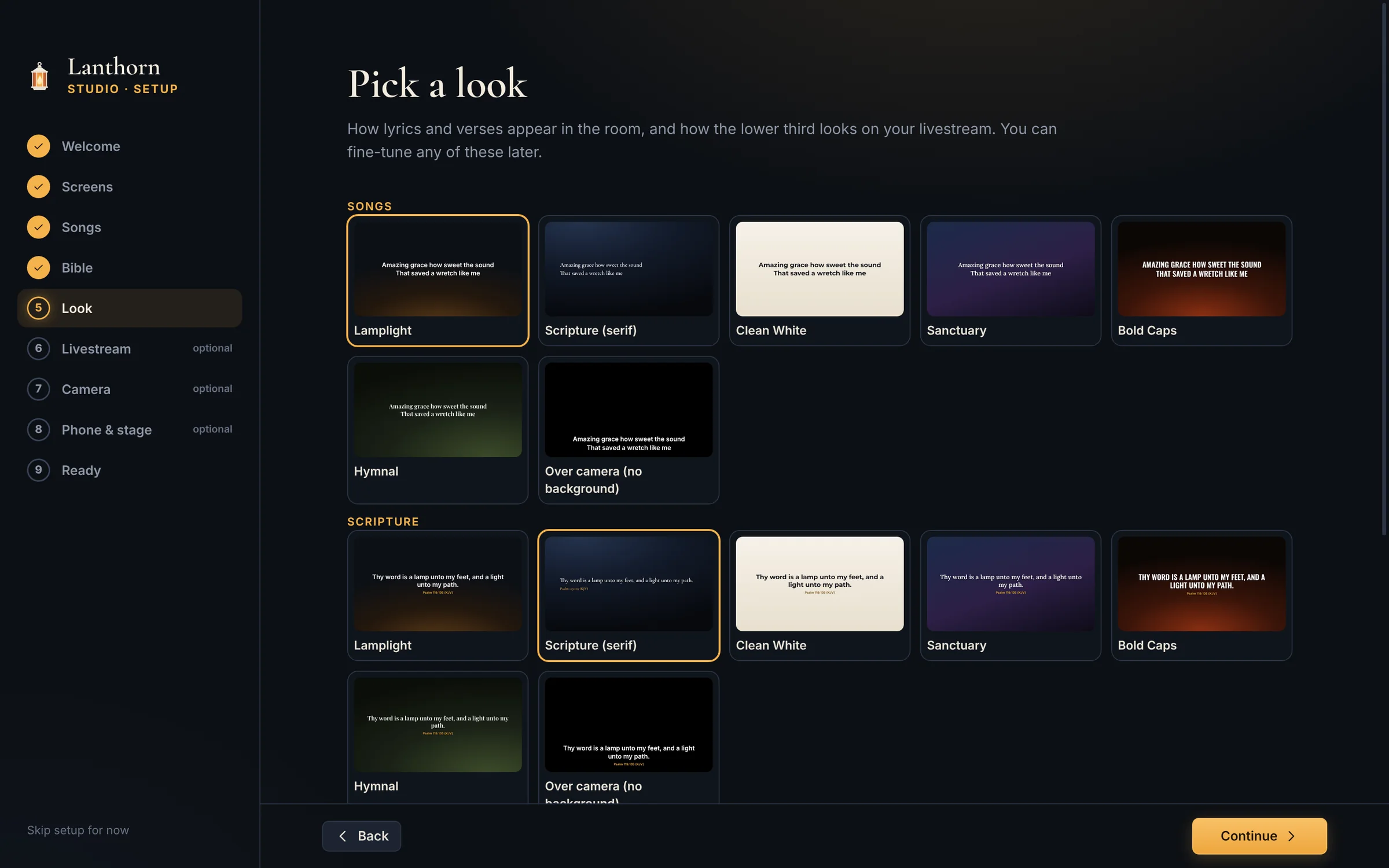
  4. Bible & look KJV to start, and a look for lyrics and verses
  5. Livestream, camera, phoneoptional
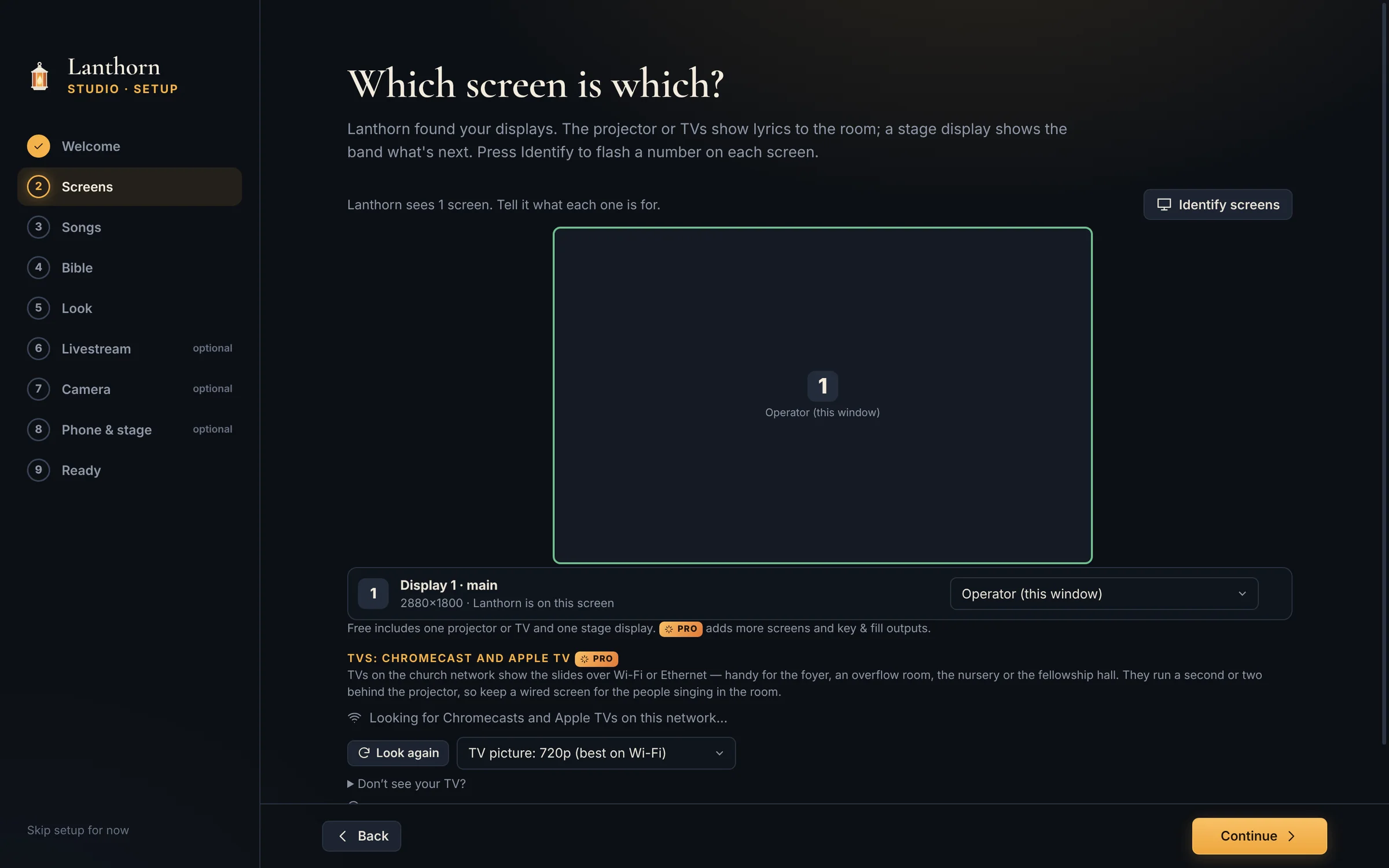
The setup wizard’s Which screen is which? step: the connected display with its role, an Identify screens button, and the Chromecast and Apple TV section. Nine steps are listed on the left.

A closer look

Calm on the busiest Sunday.

The full operator window: service order, slide thumbnails, song library and the live monitor with camera presets.

Service order on the left, slides in the middle, the live monitor on the right. Click an item, press space.

Pricing

Free for every church. Pro when you stream.

The projector, the stage display and every song and verse are free, for good. Pro is a one-time purchase for the livestream, the cameras and the extras, and it’s yours to keep.

Lanthorn Studio

Everything a Sunday needs on the screens in the room.

$0free forever

No account, no card, no time limit.

  • Lyrics, media, announcements and countdowns
  • Scripture with 10 public-domain Bibles built in
  • One projector or TV, plus a stage display
  • Song import: your current library, SongSelect and OpenLyrics
  • 289 public-domain hymns built in
  • Motion and cycling backgrounds, Preview and Program
  • Song editor, built-in looks and a brand kit
  • Setup wizard
Download free

Windows 10/11 · macOS 11+

Pro · Multi-campus

For more than one room or site: up to 10 computers, working together.

Founding-church price until Easter 2027
$299$149one time

Yours forever, with 1 year of updates included. Renewals stay at $29 a year for life.

  • Everything in Pro · Church, plus:
  • Up to 10 computers on one license
  • Main sanctuary, chapel, youth room and every campus
  • One key and one renewal for the whole church
  • Cloud workspace: one shared library, live Team view and remote control between your computers
Buy Multi-campus for $149

Already have Pro · Church? Upgrade for the difference

Five years, three computers. ProPresenter’s 20-seat Campus subscription ($649 a year, for worship customers) is its lowest price for three computers; one-seat Standard is $289 a year each. Lanthorn renewals are optional: without them Pro keeps working on your version. ProPresenter prices from renewedvision.com, October 2026.
Five years of updates, 3 computersTotal
Lanthorn Studio Pro · Church, founding price ($79, then $29 a year)$195
Lanthorn Studio Pro · Church ($149, then $49 a year)$345
ProPresenter Campus subscription ($649 a year)$3,245
ProPresenter Standard, 3 seats ($289 a year each)$4,335
Try Pro free for 14 days

Start the trial inside the app: no card, no account. Everything you set up stays when you buy.

Update renewal, optional

$49 a year for Pro · Church, $99 for Multi-campus (it keeps the cloud workspace running), $29 for life for founding churches. Pro keeps working forever without it. Renew a license

Church plant or mission?

If your church is in its first two years, under about 75 people, or a mission, Pro is on us. Tell us about your church

Love the free version?

A coffee keeps a small Tennessee shop building it. It doesn’t unlock anything; it just says thanks.

Buy us a coffee

“Thy word is a lamp unto my feet, and a light unto my path.”

Psalm 119:105 · KJV

Questions

Before you try it.

Something else? The help guide covers setup step by step, or write to support@lanthornstudio.app. A real person in Bartlett, Tennessee reads every message.

Is it really free?

Yes. Lyrics, scripture, media, announcements, countdowns, one projector or TV plus a stage display, song import, the song editor and the built-in looks are free for as long as you use them. No account, no watermark, no time limit.

What does Pro add?

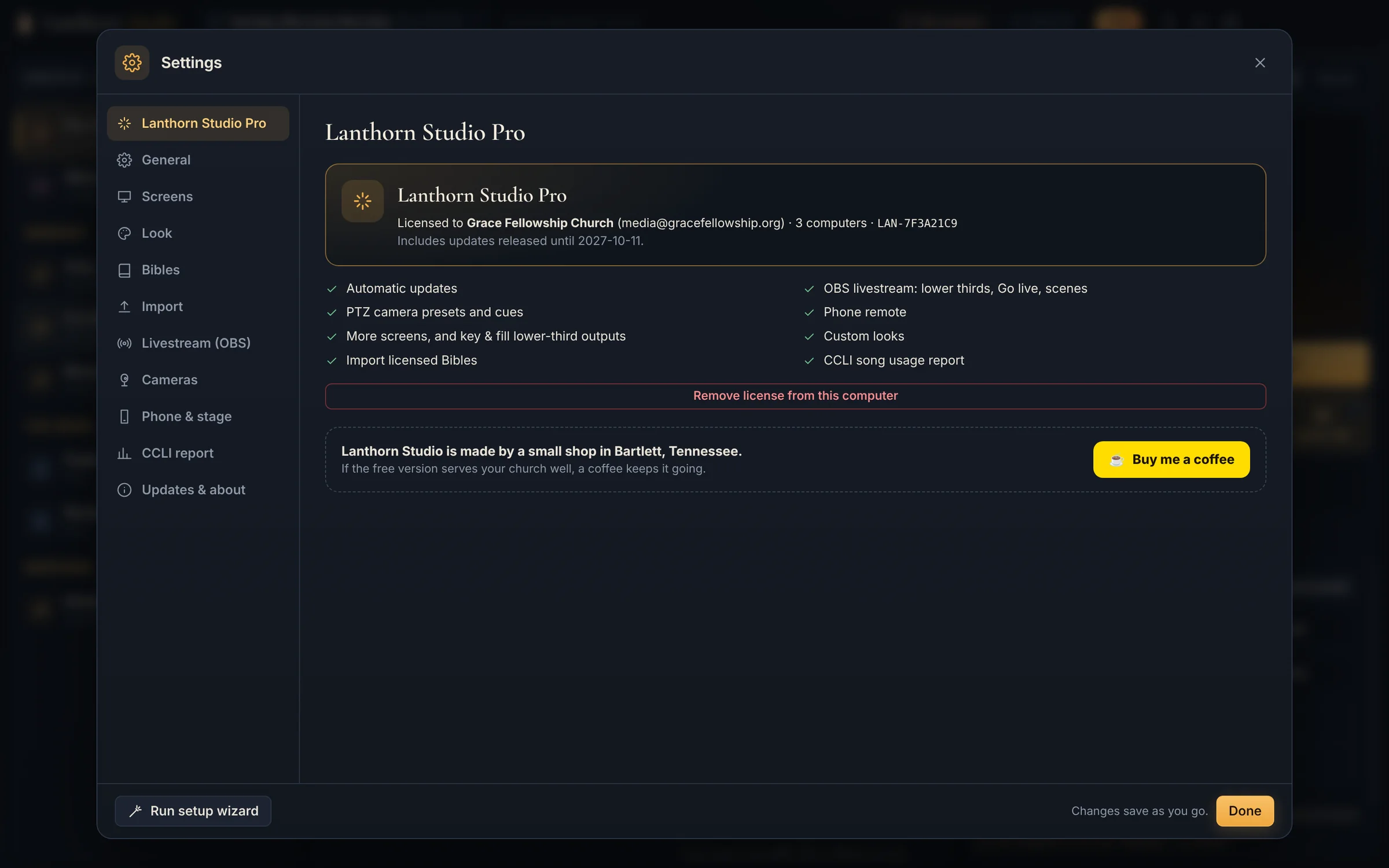
The livestream and booth extras: going live to YouTube, Facebook and more straight from Lanthorn, OBS integration (lower thirds, Go live, scenes and stream health), PTZ camera presets and cues, the phone remote, more screens including Chromecast and Apple TV, key & fill lower-third outputs, custom looks, importing licensed Bibles, the CCLI song usage report, and automatic updates. You can try all of it free for 14 days inside the app.

Can we use the TVs we already have?

Yes. With Pro, any TV with a Chromecast or an Apple TV on the church network becomes a Lanthorn screen: Settings → Screens lists them, and you choose what each one shows. Smart TVs, Fire TV and Google TV with a web browser can simply open the slides’ web address. TVs run a second or two behind the projector, which is fine for the foyer, the fellowship hall or the nursery. On a Mac, an Apple TV can also be used as a regular extra display with no delay. How to set it up

Is Pro a subscription?

No. Pro is a one-time purchase with a year of updates included. After that year, Pro keeps working forever on the version you have. If you’d like another year of new versions, an update renewal is $49 a year for Pro · Church or $99 for Multi-campus, and it’s entirely optional. Churches that buy at the founding price before Easter 2027 renew for $29 a year for life.

How many computers can we use?

The free version: as many as you like. Pro · Church covers up to 3 computers (say the booth, the office and a spare) and Pro · Multi-campus up to 10. Windows and Mac can be mixed. Replacing a computer? Remove the license from the old one in Settings and add it to the new one.

What if it isn’t right for us?

If Pro doesn’t work out, email support@lanthornstudio.app within 30 days of buying and we’ll refund you in full. No forms, no fuss.

Which Bibles are included?

Ten public-domain versions come built in and work offline:

  • KJV King James Version
  • BSB Berean Standard Bible
  • ASV American Standard Version
  • NHEB New Heart English Bible
  • YLT Young’s Literal Translation
  • WBT Webster’s Bible
  • BBE Bible in Basic English
  • GNV Geneva Bible 1599
  • AKJV American King James Version
  • RV Reina-Valera 1909

With Pro you can import a version your church is licensed for (NKJV, ESV, NIV and so on) from OSIS, Zefania or OpenSong files.

What about CCLI?

Song import keeps each song’s CCLI number, and Pro keeps a song usage report of everything shown and streamed, ready for your CCLI reporting. You still need your own CCLI license (and a streaming license if you stream lyrics); Lanthorn Studio just makes the paperwork easier.

Mac and Windows?

Both. Windows 10 or 11, 64-bit. Mac: macOS 11 Big Sur or later, on Apple silicon or Intel. A Pro license covers either, so the booth can run Windows and the office a Mac. If you stream, OBS Studio 28 or later.

Does anything leave our computer?

Not unless you ask it to. Your songs, services and media stay on the booth computer, and there are no accounts or tracking. Lanthorn Studio only checks for updates, sending its version (and, for Pro, your license ID). The stage display and phone remote stay on your own network. If you have Multi-campus and turn on the cloud workspace, your library syncs through our cloud so your other computers can use it. See the privacy notice.

How does the cloud workspace work?

It’s part of Pro · Multi-campus. Turn it on in Settings → Cloud workspace on each computer and they share one library: songs, services, media and looks. Edit on one, it appears on the others within seconds. The Team tab shows what every computer has on screen and, where that computer allows it, lets you run it or follow it slide for slide. Bibles and screen, OBS and camera settings stay on each computer. It’s included while your license’s updates are current: a year with every purchase, then $99 a year ($29 for founding churches).

Light the booth this Sunday.

Free to download, free to keep. Installs in a minute and brings your songs over in one click.

Windows 10/11 64-bit · macOS 11+ on Apple silicon or Intel · Get Pro